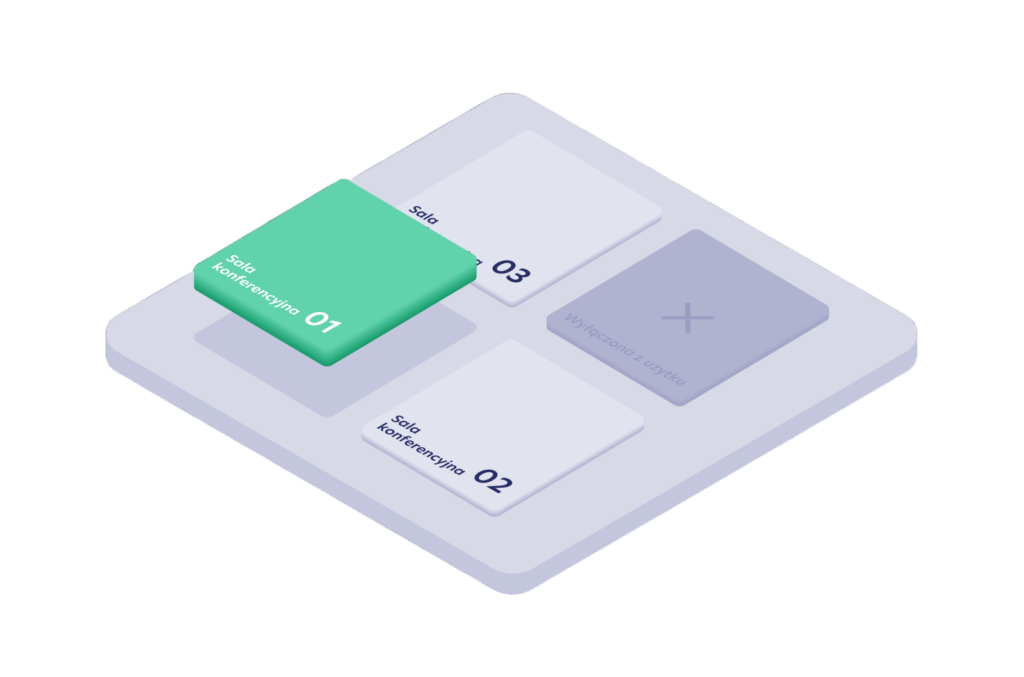
The Meeting Room Booking Module allows employees to plan meetings and manage room availability directly from a calendar, mobile app, or web panel.
The system synchronizes with the tools already used in the organization and shows real-time room availability. Bookings are made in the context of a meeting, without switching between separate systems. Users can see which rooms are available, which are occupied, and which will become free soon.
Room booking — how it works
Rooms can be booked from different touchpoints:
- directly from a calendar, such as Outlook or Google Calendar,
- from the mobile app or web panel,
- from a tablet placed outside the meeting room.
The system supports:
- single and recurring bookings,
- quick room availability checks,
- instant editing and cancellation,
- sending invitations to meeting participants.
A room booking becomes part of the calendar event, without requiring extra steps or separate tools.
Calendar integration
The module works with the organization’s existing meeting planning tools.
It supports:
- two-way integration with Microsoft Outlook and Google Calendar,
- synchronization of events and availability,
- automatic room assignment to meetings,
- real-time updates when changes are made.
The system helps eliminate booking conflicts and keeps calendars aligned with actual room availability.
Room search
Users can quickly find a room that fits a specific meeting.
They can search and filter by:
- room capacity,
- equipment, such as a screen or video conferencing system,
- room type, such as a meeting room or focus room,
- number of participants.
Room tablets and displays
The module can be extended with tablets and displays placed outside meeting rooms.
They can show:
- the current booking,
- real-time availability,
- quick on-the-spot booking options,
- a visual schedule for the selected room.
Displays act as the physical interface of the system, showing room status without the need to check the app.
Attendance confirmation and check-in
Depending on the organization’s settings, room bookings can require confirmation after the meeting starts.
The system supports:
- check-in from the mobile app,
- confirmation on the room tablet,
- automatic release of unconfirmed bookings and no-shows.
If a meeting is not confirmed, the room can be released and returned to the pool of available resources.
Invitations and external meetings
The system supports meetings with people from outside the company.
It allows users to:
- send invitations to external guests,
- connect the room with the calendar event,
- include room information in the invitation.
The room becomes an integral part of the meeting, together with the participant list and schedule.
Booking rules
Room usage can be defined at the organization level.
The module supports:
- booking limits,
- maximum meeting duration,
- access to selected rooms or zones,
- booking window limits,
- time-based access, such as selected days or hours.
Rules work automatically and help prevent conflicts and excessive room bookings.
Data and room usage
The system collects data on how rooms are used.
It provides information on:
- room occupancy over time,
- number and length of meetings,
- space usage analysis,
- data exports, such as XML, CSV, or API.
This data can be used to optimize the number and size of meeting rooms in the organization.
Integration and access
The module works with the existing IT environment.
It supports:
- integration with user directories, such as Azure AD or SAML,
- SSO login,
- roles and permissions.
User and organizational structure synchronization can be handled automatically.